10 CarPlay features worth having on your motorcycle
In this article
These are the CarPlay features that earn their place on a motorcycle: voice control, big buttons and, with a wireless screen, your phone in your pocket. The BMW screens carry most of this list; where a feature depends on the screen, we say which one. See all GS Goods CarPlay screens for motorcycles if you want to compare them side by side.

1. Turn-by-turn navigation in the app you already use
The main reason riders want CarPlay. Apple Maps, Google Maps and Waze run on the screen, and so does the bike route app Kurviger. Your saved places and routes come with you, because the app runs on your phone.
One limit: in Kurviger, planning or changing a route happens on the phone. The screen is for following the route.
2. Voice control with Siri or Google Assistant
Say where you want to go, who you want to call or what you want to hear. Siri works through CarPlay, Google Assistant through Android Auto, and the universal screen lists voice control in its specs.
3. Music and podcasts in your helmet
Spotify, Apple Music, YouTube Music and podcasts all have CarPlay versions. The GS Goods BMW screens have no built-in speaker, which is the right call at motorway speed: sound goes from your phone straight to the headset or intercom in your helmet. You pick and skip on the screen.
4. Calls without touching the phone
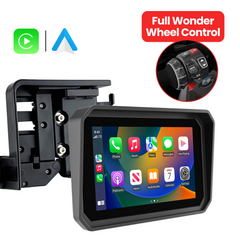
Incoming calls show on the screen with the caller's name. You answer by tapping, by voice or, on a BMW screen with original, up-to-date BMW software, with the Wonder Wheel. Your recent calls are one tap away, so calling back after a fuel stop takes a second.
5. Messages read aloud
When a message comes in, Siri can read it to you and you reply by speaking. No reading at 80 km/h. Nothing to type with gloves on.
6. BMW Wonder Wheel control on the left grip
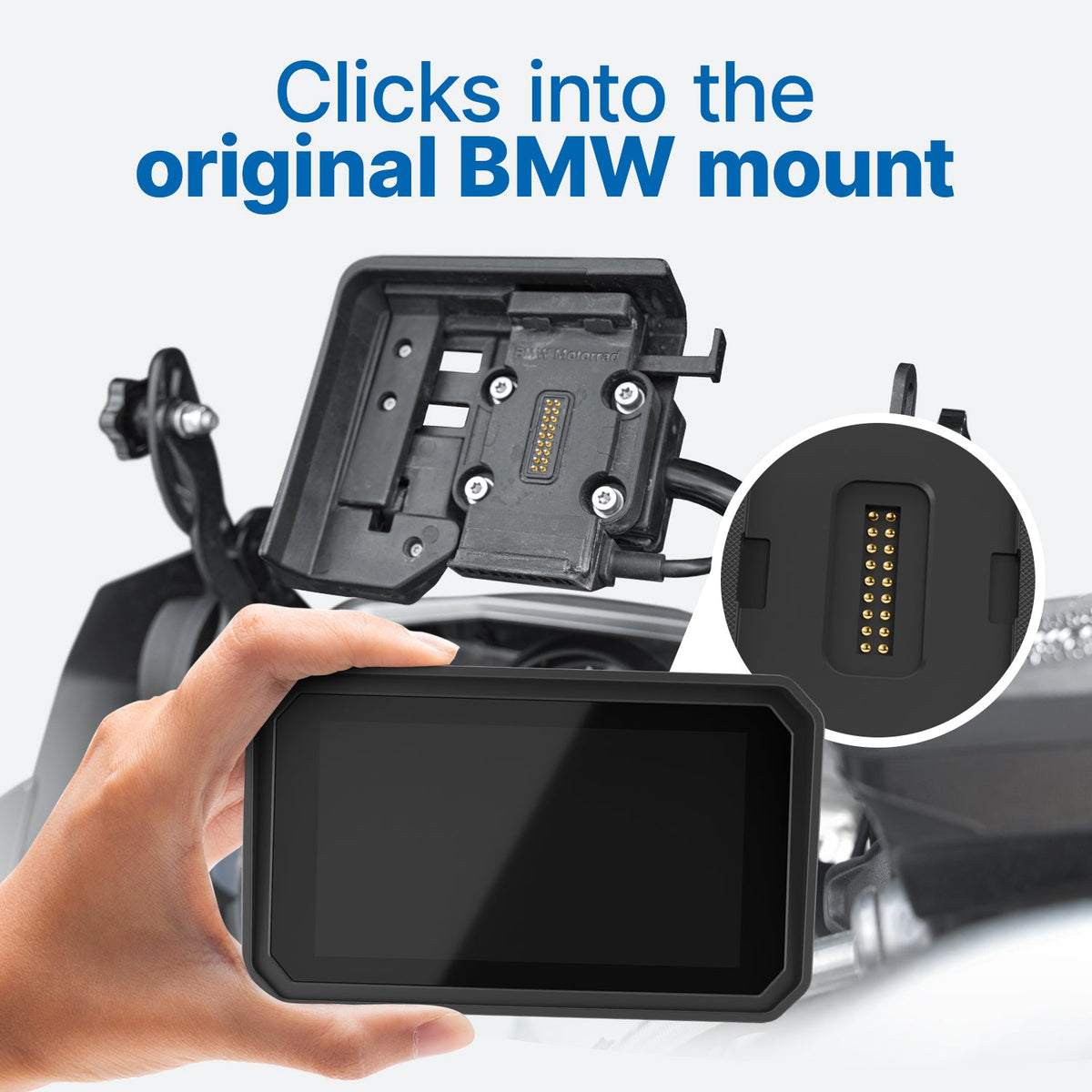
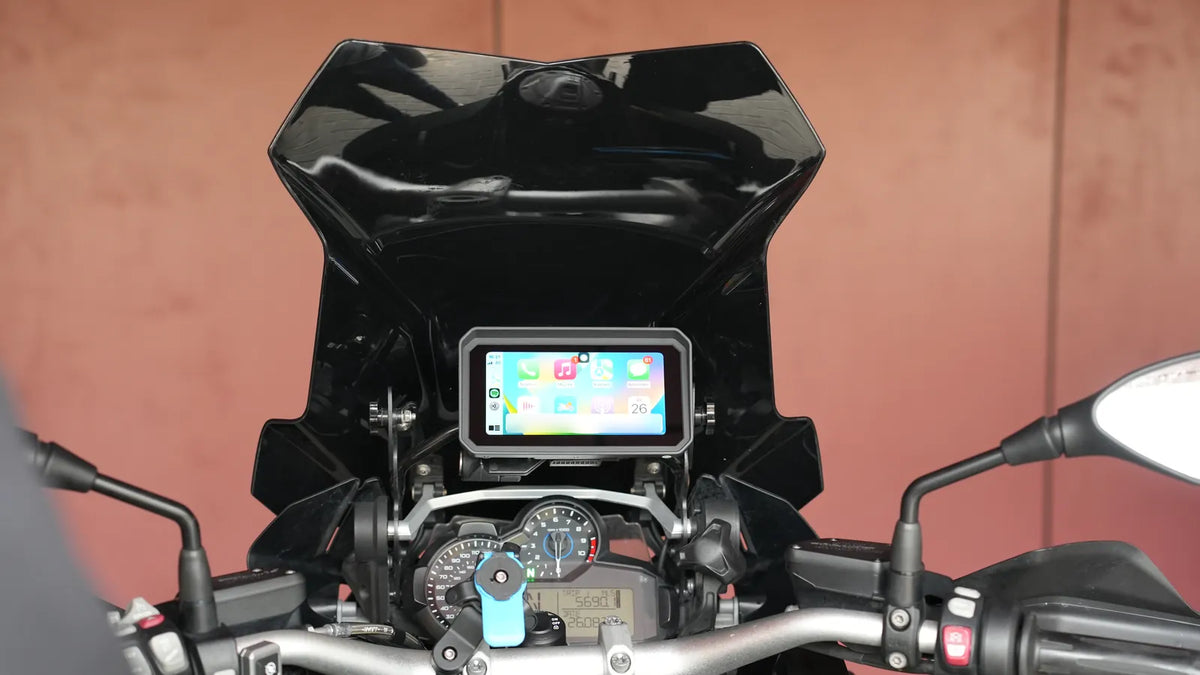
If you ride a BMW with the original navigation cradle, the BMW Motor CarPlay Screen works with the Wonder Wheel on the left grip. Adjust the map, skip a track, or take or decline a call without lifting your hand from the bar.
GS Goods notes one condition: the Wonder Wheel control needs the bike's original BMW software, up to date. According to the compatibility image on the product page, there is no Wonder Wheel control on the 2021 to 2023 R 1250 RT and the 2022 to 2023 K 1600. The same image notes that the 2010 to 2017 R 1200 RT, the 2011 to 2021 K 1600 and the 2016 to 2017 R 1200 R need an extra CAN module (named CGRC CAN on the image) for Wonder Wheel control, and that the 2010 to 2017 R 1200 RT cannot show the bike's own data. For the model list, see BMW motorcycle navigation and CarPlay options, model by model.

7. Your BMW's own data next to the map
A motorcycle screen can go further than plain CarPlay. The BMW screens read data from the bike and show it next to your apps: speed (read from the bike, without GPS), RPM, gear, temperatures and voltage. Tyre pressure joins them when you add the sensor set below. One screen, one glance.
The same applies to the 5 inch BMW RT Motor CarPlay Pro 5 on most model years. According to the compatibility image on the BMW screen page, the 2010 to 2017 R 1200 RT cannot show the bike's own data, so check your model year with GS Goods.
8. Tyre pressure and temperature alerts
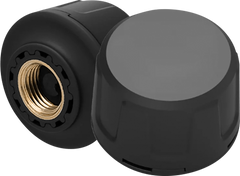
GS Goods sells a tyre pressure sensor set that shows pressure and temperature on your screen and alerts you in real time.
9. A live camera view behind you
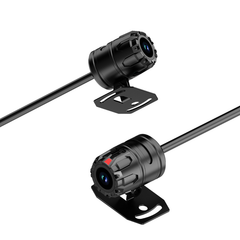
With the Front & Rear Camera, the BMW screen shows the road behind you live while you ride. Both cameras record in 2K, up to 240 hours depending on the SD card, and you replay clips on the screen or on your phone. It plugs into the screen, so there's no wiring to the battery.
Check the date first: the camera works with the BMW Motor CarPlay Screen (6 or 7 inch) bought after 25 December 2025.
10. On the BMW screens, the phone stays in your pocket
The BMW screens run CarPlay and Android Auto wirelessly, over Wi-Fi and Bluetooth. Start the bike and the phone connects from your jacket or tank bag. Cut the ignition and the screen switches itself off after about 10 to 15 seconds.
That also keeps the phone off the handlebar. Apple warns that high-amplitude vibration from high-powered motorcycle engines can degrade the iPhone camera's stabilisation and autofocus.
What CarPlay won't do on a bike
Some things are better left for the coffee stop:
- typing: messages are dictated and read aloud instead
- planning a multi-day route: do that on the phone or a computer, then follow it on the screen
- reading long texts or emails
If you want to understand the basics first, read what CarPlay is and how it works on a motorcycle. Wondering whether a GPS or your phone does the job? Motorcycle GPS, phone or CarPlay screen? compares the three.
Which features come with which screen?
Features 1 to 5 are CarPlay and Android Auto themselves, so they come with every screen that runs them. Features 6 to 10 depend on the screen.
| Feature | BMW Motor CarPlay Screen (6 or 7 inch) | BMW RT Motor CarPlay Pro 5 | Motor CarPlay (universal, 5 or 7 inch) |
|---|---|---|---|
| Navigation, voice, music, calls, messages | Yes | Yes | Yes |
| Mount | Original BMW Navigator cradle | Original BMW Navigator cradle | Adjustable handlebar mount |
| Wonder Wheel control (original, up-to-date BMW software) | Yes | Depends on model year: none on the 2021 to 2023 R 1250 RT, per the compatibility image; ask GS Goods | Not listed |
| Bike data next to the map | Yes | Depends on model year: not on the 2010 to 2017 R 1200 RT, per the compatibility image; ask GS Goods | Not listed |
| Tyre pressure sensor set | Offered on the product page | Ask GS Goods | Offered on the product page |
| Front & Rear Camera | Yes, for screens bought after 25 December 2025 | Ask GS Goods | No |
| Wireless CarPlay and Android Auto | Yes | Yes | Bluetooth and USB (per product card), ask GS Goods |
| Price | €289.95 / €299.95 | €289.95 | €119.95 / €129.95 |
If you ride a BMW with the original cradle, the BMW screens give you the most of this list. Without the BMW cradle, the universal screen covers features 1 to 5 for a lower price. Before you buy any of them, read 7 things to check before you buy a motorcycle CarPlay screen.
Ready for the BMW screen?
Navigation, music, calls and voice control come with every CarPlay screen. Bike data and Wonder Wheel control (original, up-to-date BMW software) come with the BMW screens, and the 6 and 7 inch BMW screen bought after 25 December 2025 takes the camera. See the BMW Motor CarPlay Screen or compare all screens.
The Travel Case (€49.95) and the Anti-Glare Screen Protection (€39.95) fit the BMW screen, 6 or 7 inch.
Frequently asked questions
Can I use the BMW Wonder Wheel with CarPlay?
Yes. The BMW screens work with the Wonder Wheel on the left grip, as long as the bike runs its original, up-to-date BMW software. Support depends on model and year, so on the BMW RT Motor CarPlay Pro 5 ask GS Goods about your model year first.
Can I use Calimoto or Kurviger on the screen?
Kurviger, yes: it supports CarPlay from version 3.5.7 of its iOS app and also runs on Android Auto. You follow the route on the screen and plan or change it on the phone (checked October 2026). For Calimoto, check the app's own help pages for its current CarPlay and Android Auto support.
Does the screen show my speed?
The BMW screens do. They read speed from the bike itself and show it with RPM, gear, temperatures and voltage; tyre pressure shows with the sensor set. On other screens, speed depends on what your navigation app shows.
How do I get navigation and music into my helmet headset?
The BMW screens have no speaker. Per the product page, sound runs from your phone to your existing headset or intercom, and the screen shows the map and the controls. Questions about your setup: info@gsgoods.nl.
Can I add the camera or tyre pressure sensors later?
Yes, both are sold separately. The Front & Rear Camera works with the BMW Motor CarPlay Screen (6 or 7 inch) bought after 25 December 2025. The tyre pressure set is offered on the BMW and universal screen pages.