Top 10 CarPlay- en Android Auto-functies in 2025
In dit artikel
Apple CarPlay en Android Auto zijn niet meer weg te denken uit moderne auto’s. Ze maken je rit niet alleen veiliger, maar ook een stuk leuker en makkelijker. Of je nu rijdt in een gezinswagen, leaseauto of een compacte stadsauto: deze slimme features tillen je dashboard naar een nieuw niveau.
In deze blog nemen we je mee langs de top 10 functies die écht het verschil maken — informatief, menselijk en met hier en daar een knipoog. Want je dashboard mag dan slim zijn, dat wil nog niet zeggen dat de tekst droog hoeft te zijn.
1. Carplay Navigatie
Navigatie is de ruggengraat van elk infotainmentsysteem. En met CarPlay en Android Auto is het slimmer dan ooit.
De meest populaire apps — Google Maps, Apple Maps en Waze — bieden een schat aan realtime informatie: van verkeersdrukte tot flitsers, en van tankstations tot parkeergarages.
Wat maakt het verschil in 2025?
-
Apple Maps toont nu verkeerslichten en live kruispuntweergaven
Google Maps integreert je agenda en herkent regelmatig bezochte locaties
Waze biedt waarschuwingen van andere bestuurders (denk aan obstakels of files)
Spraakgestuurde navigatie betekent dat je nooit je handen van het stuur hoeft te halen. Commando’s als “Hé Siri, navigeer naar werk” of “Hey Google, vermijd tolwegen” zorgen ervoor dat je route direct wordt aangepast.
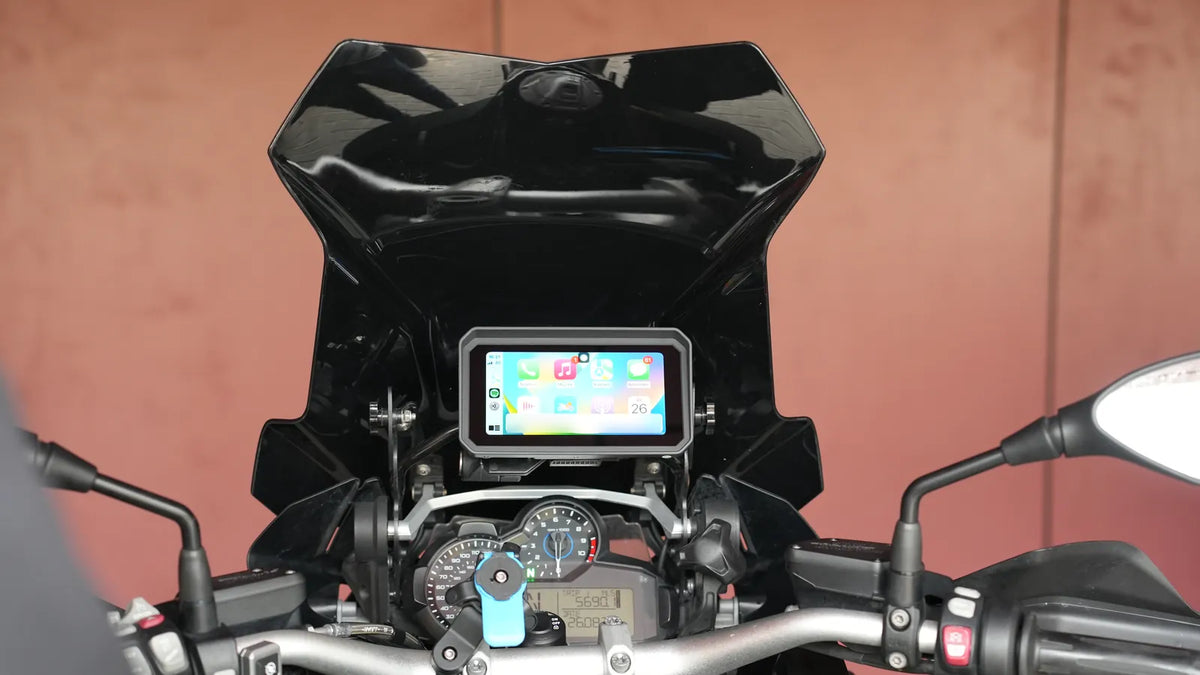
En als je kiest voor een systeem zoals het GS Goods CarPlay systeem met 10,26 inch scherm , zie je je route haarscherp en overzichtelijk — zelfs bij veel zonlicht. Ideaal voor wie veilig én stijlvol wil navigeren.
2. Spraakbesturing met Siri en Google Assistant
Of je nu iets wil opzoeken, een bericht wil versturen of een liedje wil starten: spraakassistenten maken het allemaal handsfree mogelijk. Siri en Google Assistant zijn diep geïntegreerd in CarPlay en Android Auto.
Wat kun je handsfree regelen?
-
Bellen en gebeld worden
Sms’en of WhatsApp-berichten verzenden en ontvangen
Navigatie starten, omleiden of herstarten
Informatie opvragen, zoals het weer of je afspraken
Afspeellijsten starten of een artiest opzoeken
Dankzij slimme ruisonderdrukking werken de microfoons ook bij hogere snelheden of open ramen. Zeker bij langere ritten is het fijn om je rit moeiteloos te kunnen managen zonder afleiding.
Een digitale assistent achter je dashboard? Je hebt ’m al — en hij luistert nog goed ook.
3. Muziek en Podcasts streamen onderweg
Niets zo persoonlijk als muziek onderweg. CarPlay en Android Auto verbinden met je favoriete apps — of dat nu Spotify, Apple Music, YouTube Music of Deezer is — zodat je altijd toegang hebt tot jouw vibe van het moment.
Wat je onderweg kunt beluisteren:
-
Je eigen afspeellijsten en albums
Podcasts via o.a. Pocket Casts, Google Podcasts of Apple Podcasts
Audioboeken via Audible
Radio via TuneIn of je eigen mediabibliotheek
De bediening? Via touchscreen, stuurknoppen of gewoon met je stem. “Speel rustige jazz” of “Ga verder met mijn podcast” en voilà — je dashboard reageert direct.
Voor wie onderweg geen data wil gebruiken, biedt het GS Goods CarPlay systeem USB-ondersteuning voor externe schijven of sticks. Zo heb je altijd muziek binnen handbereik.
4. Meldingen en berichten veilig beheren
Bliepjes, pingetjes en pushmeldingen: leuk, maar niet achter het stuur. CarPlay en Android Auto maken je bereikbaar op een slimme én veilige manier.
Hoe dat eruitziet?
-
Binnenkomende berichten worden automatisch voorgelezen
Je antwoordt handsfree via spraak
Je kunt apps als WhatsApp, iMessage, Telegram en Signal koppelen
Niet-storen-modus wordt automatisch geactiveerd bij beweging
Je bepaalt zelf welke meldingen belangrijk zijn. Groepsapps kun je tijdelijk uitschakelen, terwijl je berichten van werk of familie wél laat doorstromen.
En het mooiste? Geen boetes voor telefoongebruik — maar wel verbonden blijven op een manier die veilig én efficiënt is.
5. Alles-in-één Dashboardweergave

Het digitale dashboard van nu is overzichtelijker dan ooit. Dankzij een vernieuwde layout kun je meerdere apps tegelijk gebruiken, zonder dat je moet wisselen van scherm.
Wat zie je in één oogopslag?
-
Navigatie en aankomsttijd
De huidige track of podcast
Volgende afspraak uit je agenda
Weersinformatie of snelkoppelingen
Moderne systemen, zoals het CarPlay dashboard van GS Goods , geven je ook de optie om de layout aan te passen. Zo zie jij precies wat jij belangrijk vindt tijdens het rijden — niet wat de fabrikant denkt dat handig is.
6. Achteruitrijcamera met hulplijnen
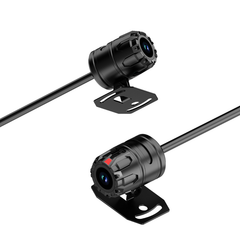
Je draait je hoofd nog even om, maar je vertrouwt vooral op je scherm. En dat mag, want een geïntegreerde achteruitrijcamera geeft je haarscherp zicht bij het parkeren.
Wat je erbij krijgt:
-
Groothoekbeeld in kleur en HD
Hulplijnen die meebewegen met je stuur
Compatibiliteit met parkeersensoren
Automatisch inschakelen bij achteruit
Parkeer je regelmatig in krappe plekken of drukke wijken? Dan is dit dé feature die je gaat waarderen. Met name voor grotere voertuigen of campers is dit echt een lifesaver.
7. Draadloze verbinding en opladen

Zodra je instapt, is je smartphone verbonden. Geen kabels, geen gezoek. Bluetooth en optionele WiFi-verbindingen zorgen ervoor dat alles binnen seconden werkt.
Waarom draadloos ideaal is:
-
Je telefoon verbindt automatisch met CarPlay of Android Auto
Geen slijtage aan laadpoorten of zoekgeraakte kabels
Combineerbaar met draadloos opladen voor extra gemak
Direct toegang tot al je apps, media en navigatie
Voor wie graag minimalistisch rijdt: dit is een uitkomst. Combineer het met een magnetische telefoonhouder en je hebt een strak en draadloos dashboard. Extra handig als je je smartphone in je tas of jaszak laat — de koppeling werkt toch automatisch.
Dankzij het CarPlay systeem van GS Goods , dat is ontworpen voor snelle verbinding en stabiele prestaties, hoef je nooit meer handmatig te koppelen of je dashboard vol kabels te hangen. Handig voor dagelijks gebruik én langere ritten.
8. USB & Externe Multimedia-opties
USB is allesbehalve ouderwets — het is juist je offline reddingslijn. Tijdens een roadtrip of werkrit wil je soms media afspelen zonder dat je afhankelijk bent van je databundel of mobiele signaal.
Wat kun je ermee?
-
Offline afspeellijsten beluisteren (bijv. FLAC voor hoge kwaliteit)
Films of video’s tonen tijdens pauzes (alleen bij stilstand)
Foto’s of presentaties laten zien aan passagiers of klanten
Voor gezinnen ideaal: kindervideo’s op een stick en geen geklaag op de achterbank. Voor zzp’ers: snel even je pitch tonen tijdens een stop.
De CarPlay-set van GS Goods ondersteunt plug-and-play opslag tot 1TB, en je bladert makkelijk door je bestanden via het aanraakscherm.
9. SharePlay & schermdelen met passagiers

SharePlay maakt van je infotainmentsysteem een sociale hub. In plaats van één iemand aan het roer, kan iedereen in de auto bijdragen aan de playlist of content delen — zonder geklungel met kabels.
Met een simpele QR-code geef je anderen toegang tot het systeem. Zo kunnen ze nummers toevoegen aan de afspeellijst of bijvoorbeeld vakantiefoto’s of video’s tonen (alleen wanneer het voertuig stilstaat).
Gebruiksscenario:
Je rijdt met een vriendengroep richting een festival. Eén iemand deelt live een aftermovie van vorig jaar, terwijl de ander liedjes toevoegt aan de afspeellijst. Iedereen is betrokken, de sfeer zit er meteen in.
Of tijdens een werkrit: je collega toont een korte video-uitleg over een project of deelt een presentatie. Geen laptop nodig, geen ingewikkelde opstelling — gewoon jouw infotainmentscherm als gedeeld canvas.
SharePlay maakt van autorijden een gezamenlijke beleving. Je hoeft niet te kiezen tussen controle en comfort — je krijgt ze allebei.
10. Universele compatibiliteit voor elke auto
Aftermarket CarPlay-systemen zijn ideaal voor wie z’n huidige auto slimmer wil maken. Je hoeft geen nieuwe wagen te kopen of alles om te bouwen. De meeste modellen, zoals het CarPlay systeem van GS Goods , passen in bijna elk voertuig.
Wat je moet weten:
-
Past in dashboards van o.a. Peugeot, Ford, Renault, Fiat, VW en meer
Bevestiging met houder of zuignap — zonder boren of zagen
Aansluiting via de 12V-poort of USB
Perfect voor leasewagens of als je vaak wisselt van auto. Je neemt het systeem zo weer mee naar je volgende voertuig. Slimmer rijden was nog nooit zo toegankelijk.
Klaar voor de toekomst van autorijden?
Met CarPlay en Android Auto geef je jouw auto een flinke upgrade. Zonder nieuwe auto, zonder ingewikkelde installatie. Gewoon een slimme stap naar meer gemak, veiligheid en rijplezier.
In deze blog heb je kunnen lezen hoe elk van de 10 functies jouw rit leuker én handiger maakt. Van spraakgestuurde navigatie tot draadloze koppeling, van schermdelen tot offline media — het zit allemaal in je dashboard.
Nieuwsgierig geworden? Ontdek het CarPlay systeem van GS Goods met 10,26 inch scherm en ervaar zelf hoe eenvoudig de overstap naar slim rijden is.
Welke feature ga jij als eerste uitproberen? En hoe zie jij jouw ideale connected car eruit? Laat het ons weten — en veel rijplezier!